How can we help?

Drive
Drive provides a centralized file management solution for all brand, license, and product documentation. Organize, share, and access key assets with ease, ensuring every stakeholder always has the correct files at their fingertips.
My Files
Description:
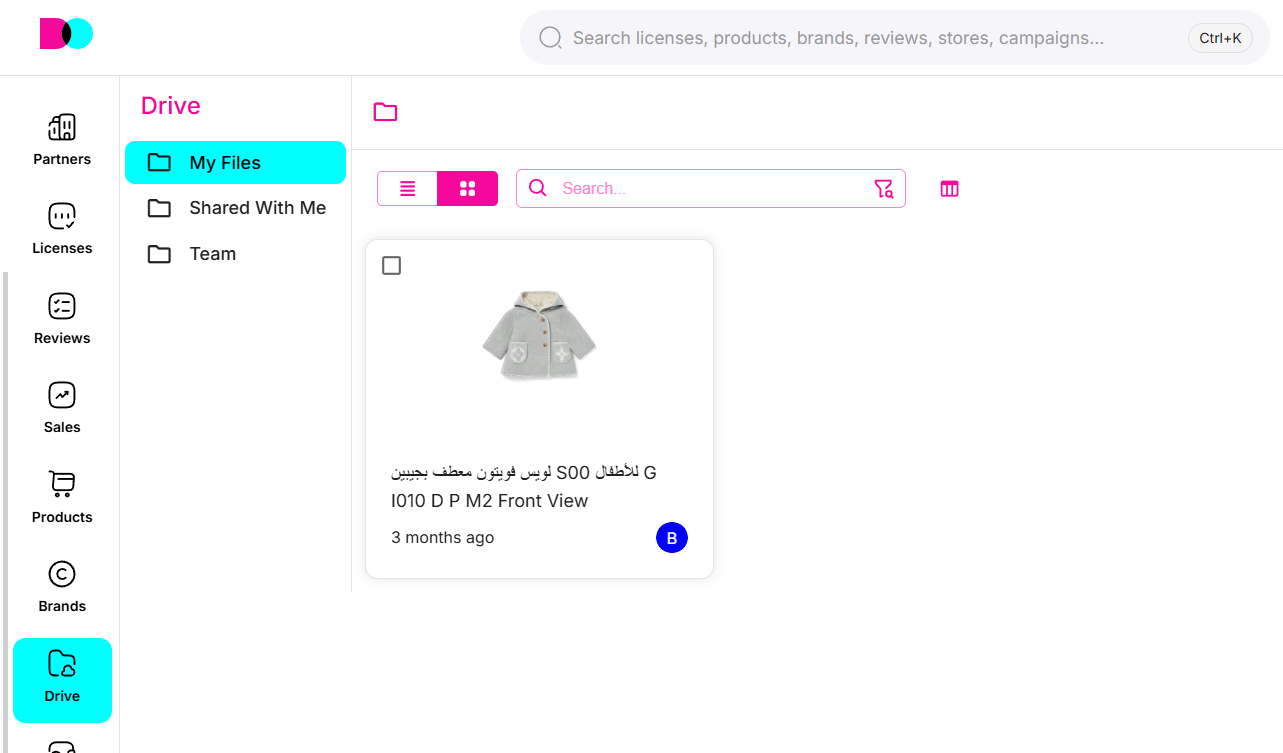
"My Files" is your personal storage area for logos, contracts, creative assets, guides, style previews, and more. Folders keep files organized by project or topic—ranging from asset libraries to compliance documents. Search, preview, and batch-select files to manage your digital assets efficiently.
Tip: Recently downloaded files, such as exports or reports, are placed in the "Temp" folder for easy access.
Key Features
- Folder Organization: Structure files by brands, reviews, partners, sales, and other business processes.
- Search & Filters: Instantly locate files using smart search and filtering by type or recency.
- Team & Shared Folders: Collaborate with colleagues by sharing folders or files and tracking shared materials.
- Preview & Download: View file details, previews, and quickly download what you need for faster workflows.
For orderly collaboration, keep Drive tidy with clear folder structures; check "Temp" for your latest files and move them into long-term folders as needed.
Can't find what you're looking for?